공식 Documentation

https://matplotlib.org/stable/plot_types/basic/index.html


Pairwise data — Matplotlib 3.8.2 documentation

Pairwise data Plots of pairwise \((x, y)\), tabular \((var\_0, \cdots, var\_n)\), and functional \(f(x)=y\) data.

matplotlib.org


0. 목적


본 포스팅의 목적은 Matplotlib의 위 documentation에서 설명하는 가장 기본적인 시각화 툴을 보다 자세히 이해하고자 한다.


1. plot(x,y)

예제 코드

import matplotlib.pyplot as plt
import numpy as np

plt.style.use('_mpl-gallery')

# make data
x = np.linspace(0, 10, 100)
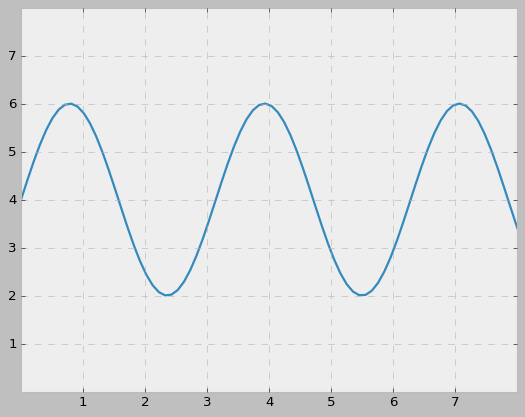
y = 4 + 2 * np.sin(2 * x)

# plot
fig, ax = plt.subplots()

ax.plot(x, y, linewidth=2.0)

ax.set(xlim=(0, 8), xticks=np.arange(1, 8),
       ylim=(0, 8), yticks=np.arange(1, 8))

plt.show()


결과
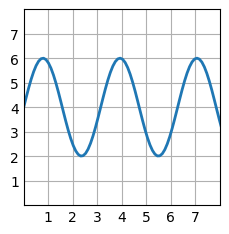
 

코드 해석

필요한 라이브러리들 호출

import matplotlib.pyplot as plt
import numpy as np


plot 스타일 정의

plt.style.use('_mpl-gallery')

해당 스타일 외에도

plt.style.use('bmh')
plt.style.use('ggplot')
plt.style.use('classic')
plt.style.use('Solarize_Light2')
plt.style.use('default')

와 같이 다양한 스타일 사용 가능


예시
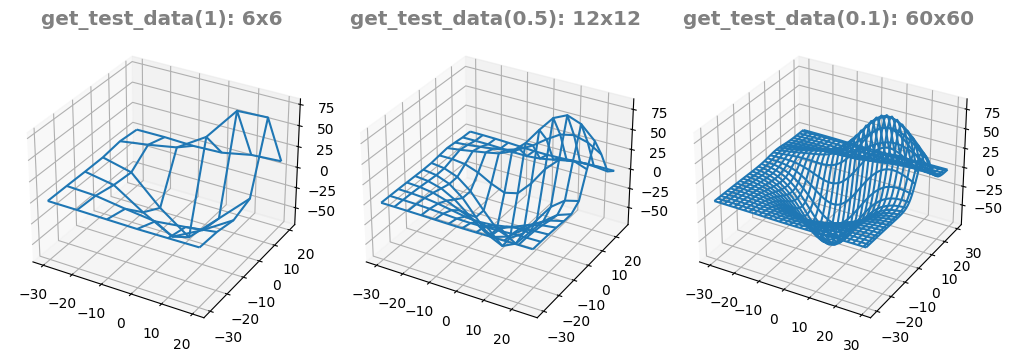
bmh
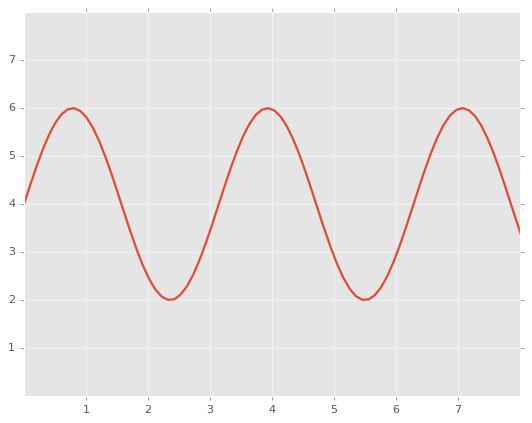
ggplot
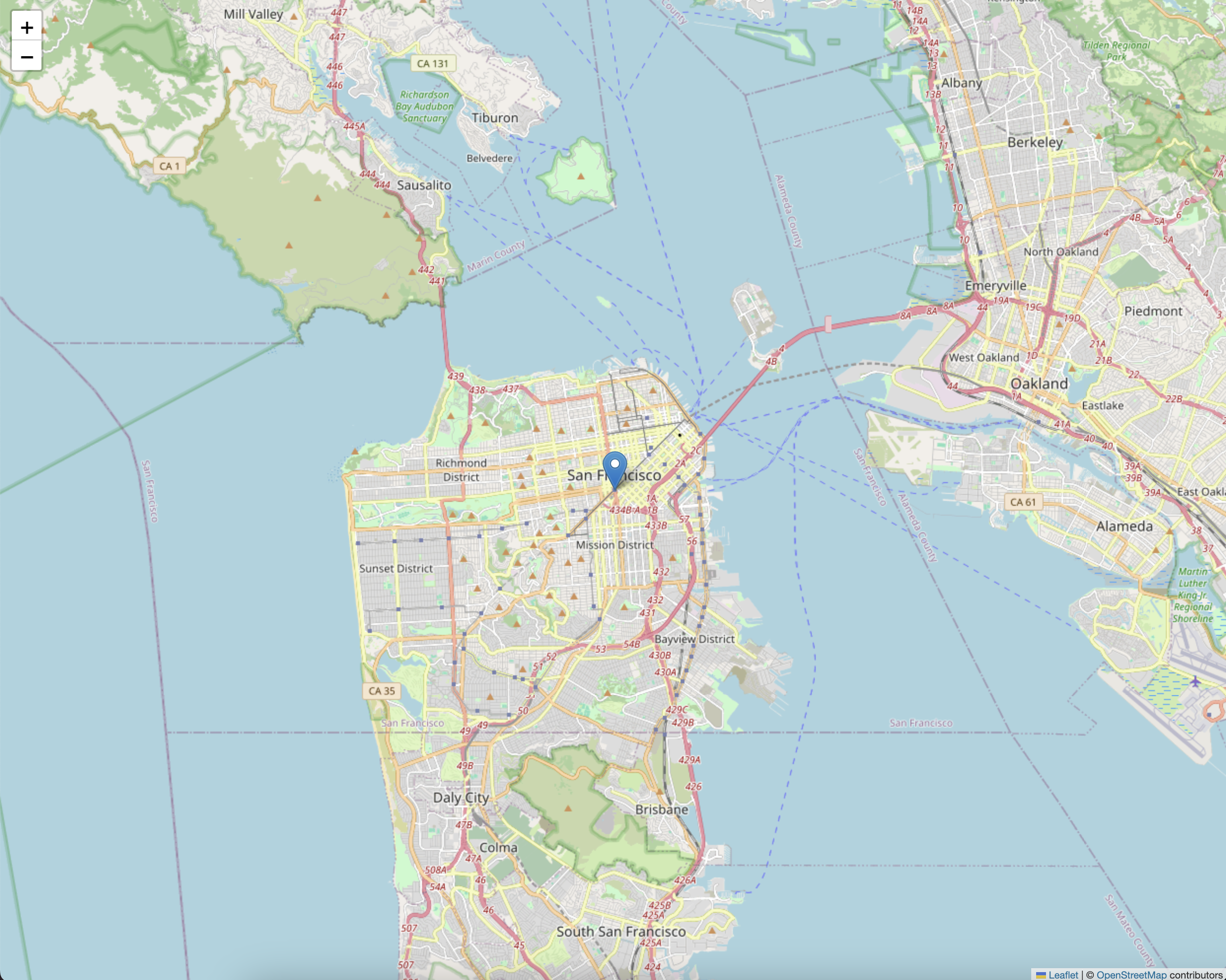
classic


관련 공식 문서

https://matplotlib.org/stable/api/style_api.html


matplotlib.style — Matplotlib 3.8.2 documentation

matplotlib.style Styles are predefined sets of rcParams that define the visual appearance of a plot. Customizing Matplotlib with style sheets and rcParams describes the mechanism and usage of styles. The Style sheets reference gives an overview of the buil

matplotlib.org


데이터 생성

x = np.linspace(0, 10, 100)
y = 4 + 2 * np.sin(2 * x)


np.linspace에 들어가는 세 param은 각각 구간 시작점, 구간 끝점, 구간 내 숫자 개수 을 의미


예시

import numpy as np

x = np.linspace(1,10,100)

x


출력 결과
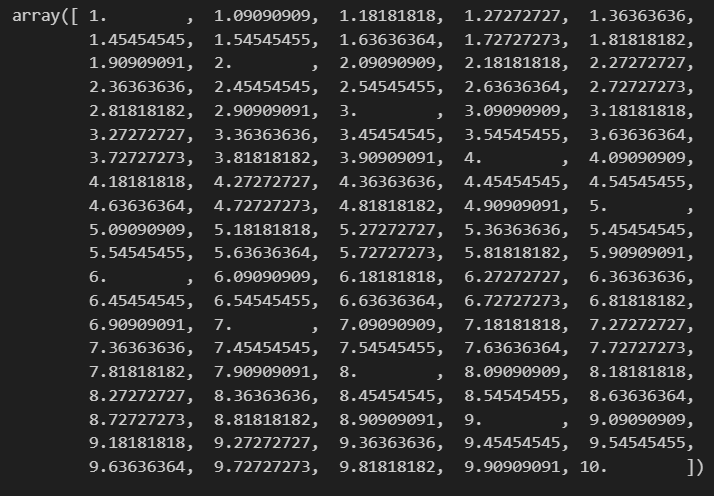
 

1부터 10까지, 처음을 1 마지막을 10으로 하는 100개 element를 가지는 1차원의 array를 만듦.


y는 해당 x에 대응되는 각각의 함수 값을 갖게 됨.

x는 numpy.ndarray의 타입을 갖게 되므로 위와 같은 연산이 가능

(list의 경우 해당 연산이 불가하는 것으로 아는데 y식 정의에 np가 들어가있어 가능한 듯)


fig, ax = plt.subplots()


관련 문서

https://towardsdatascience.com/clearing-the-confusion-once-and-for-all-fig-ax-plt-subplots-b122bb7783ca


Clearing the confusion once and for all: fig, ax = plt.subplots()

Learn about figure and axes objects in Matplotlib

towardsdatascience.com


이 부분은 많은 예시 코드들에서 공통적으로 사용하고 있는 부분인데 어떤 의미일까.

(Note : subplot과 subplots는 다름)


#기본
plt.subplots(nrows, ncols)


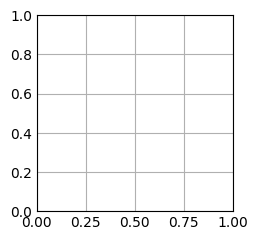
예시 1

fig, ax = plt.subplots()
plt.show()
 

예시 2

fig, ax = plt.subplots(2,1)
plt.show()
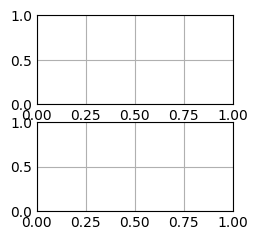
 

nrows와 ncols에 m, n이라는 정수형 인자를 각가 넣으면 m by n matrix 느낌의 plot들이 구성된다.


예시 3

sub_plots = plt.subplots(3,2)
print(sub_plots)
print("TYPE IS : ", type(sub_plots))
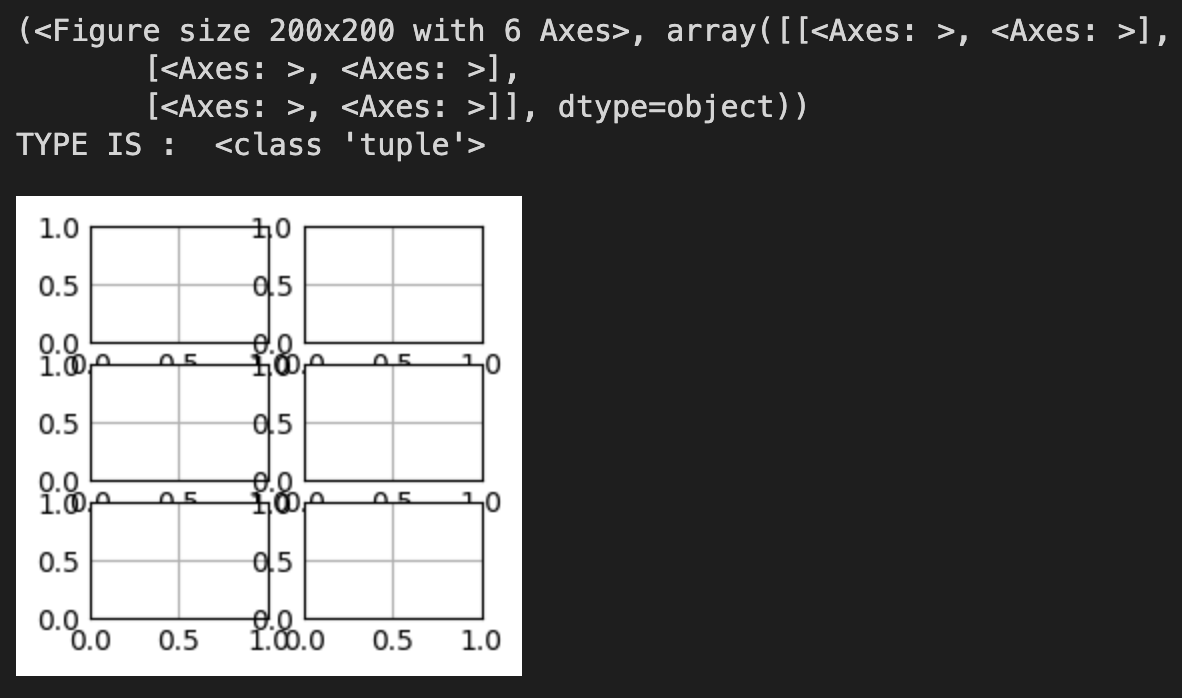
이 부분에서 살짝 의외였다. sub_plots 객체의 type이 tuple이라니.

아마 fig, ax로 쪼개는 것을 통해 length가 2짜리인 (fig, ax)의 형태로 이루어진 tuple이 아니었을까


예시 4

fig, ax = plt.subplots(3,2)
print(fig)
print(ax)
print("TYPE IS : ", type(fig))
print("TYPE IS : ", type(ax))
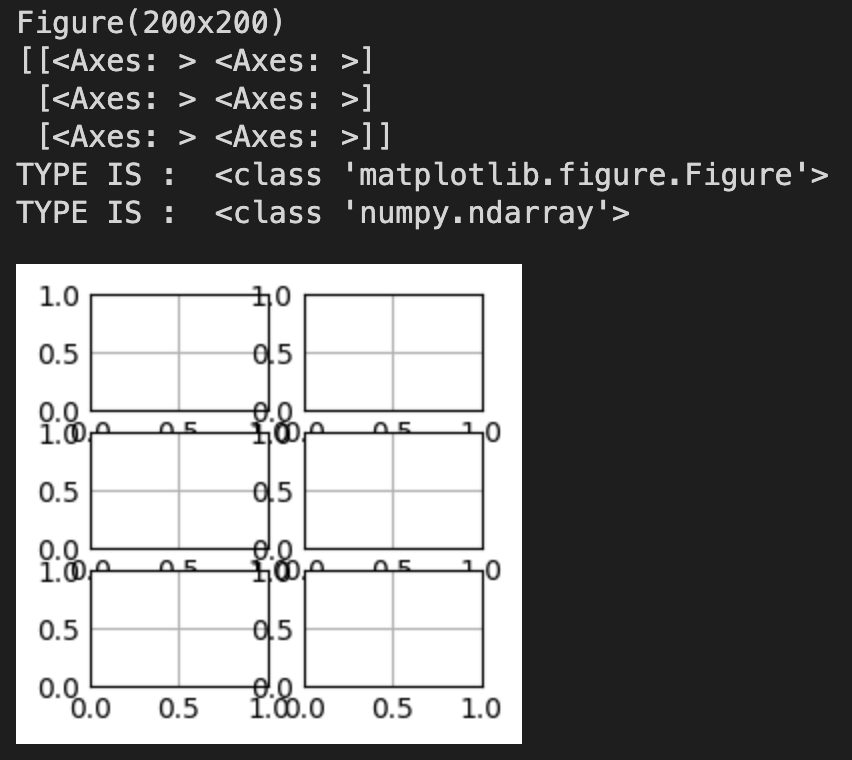
 

예시 5

sub_plots = plt.subplots(3,2)
print(sub_plots[0])
print("##########")
print(sub_plots[1])
print("##########")
print(sub_plots[1][0])
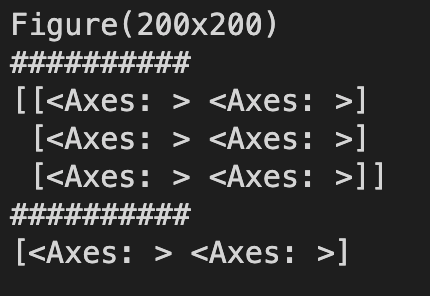
확인을 해보니 fig, ax의 길이가 2짜리인 튜플이 맞는 것 같다.

ax 파트에는 3 by 2 형태의 2차원 array들이 들어있어 각각에 대한 정의를 해줄 수 있다.

'Data > Visualization' 카테고리의 다른 글

[Matplotlib] 3D Plot  (0) 2023.12.08

문제 출처

https://www.acmicpc.net/problem/2231


문제

어떤 자연수 N이 있을 때, 그 자연수 N의 분해합은 N과 N을 이루는 각 자리수의 합을 의미한다. 어떤 자연수 M의 분해합이 N인 경우, M을 N의 생성자라 한다. 예를 들어, 245의 분해합은 256(=245+2+4+5)이 된다. 따라서 245는 256의 생성자가 된다. 물론, 어떤 자연수의 경우에는 생성자가 없을 수도 있다. 반대로, 생성자가 여러 개인 자연수도 있을 수 있다.

자연수 N이 주어졌을 때, N의 가장 작은 생성자를 구해내는 프로그램을 작성하시오.


1차 풀이

N = int(input())

len_n = len(f"{N}")
start = N-9*len_n

if start <= 0:
    start = 1

for i in range(start, N):
    if i == N-1:
        print(0)
    else:
        digit_sum = sum(int(digit) for digit in f"{i}")
        if i + digit_sum == N:
            print(i)
            break


N의 생성자의 하한을 어느정도 잡아준다.

해당 하한부터 Brutal하게 모든 경우를 check하며 올라간다.

근데 98%에서 틀렸다.


수정 풀이

예외처리 및 for-loop의 범위를 조정하였다.

N = int(input())

len_n = len(f"{N}")
start = N-9*len_n

if start <= 0:
    start = 1

for i in range(start, N+1):
    if N == 1:
        print(0)
        break
    if i == N:
        print(0)
    else:
        digit_sum = sum(int(digit) for digit in f"{i}")
        if i + digit_sum == N:
            print(i)
            break


'알고리즘 & PS > 백준' 카테고리의 다른 글

[백준] 1260번 DFS와 BFS  (0) 2024.10.04
[백준] 12865번 평범한 배낭 (DP)  (1) 2024.10.04
[백준] 5430번 AC  (0) 2023.12.09

문제 출처

https://www.acmicpc.net/problem/5430


5430번: AC

각 테스트 케이스에 대해서, 입력으로 주어진 정수 배열에 함수를 수행한 결과를 출력한다. 만약, 에러가 발생한 경우에는 error를 출력한다.

www.acmicpc.net


문제

선영이는 주말에 할 일이 없어서 새로운 언어 AC를 만들었다. AC는 정수 배열에 연산을 하기 위해 만든 언어이다. 이 언어에는 두 가지 함수 R(뒤집기)과 D(버리기)가 있다.

함수 R은 배열에 있는 수의 순서를 뒤집는 함수이고, D는 첫 번째 수를 버리는 함수이다. 배열이 비어있는데 D를 사용한 경우에는 에러가 발생한다.

함수는 조합해서 한 번에 사용할 수 있다. 예를 들어, "AB"는 A를 수행한 다음에 바로 이어서 B를 수행하는 함수이다. 예를 들어, "RDD"는 배열을 뒤집은 다음 처음 두 수를 버리는 함수이다.

배열의 초기값과 수행할 함수가 주어졌을 때, 최종 결과를 구하는 프로그램을 작성하시오.


1차 풀이

테스트용 및 1차 작성 답안

import sys
input = sys.stdin.readline

T = int(input()) # # of Test Case 받아주고

for _ in range(T):
    function_list = list(input())  #input은 str로 받아지니 list만 씌워도 각 element로 분해, 혹시 모르니 input -> str로 확실히 변환
    list_len = int(input())  # 사실 쓸모없긴한데 주니 일단 받자
    number_list = eval(input())

    for i in function_list:
        print(number_list)
        print(i)
        if i == 'R':
            number_list = list(reversed(number_list))
            print('Im R')
        elif i == 'D':
            print('Im D')
            if len(number_list) == 0:  #list의 empty 판정으로 인한 에러를 bool을 이용하거나 try구문을 이용해도 될 듯
                print("error")
                break
            else:
                number_list.pop(0)
    print(number_list)


python에서는 input()을 받았을 때, string type으로 받아지므로 해당 값을 list, 혹은 integer로 명시적 변환


eval 함수

python의 built-in 함수이며 정말 편리하지만, 위험한 함수.

대부분의 구분을 분석하여 자동적으로 처리해주는 유연한 함수이지만 그만큼 python 자체적인 해석에 의존함으로

strip과 같은 방식으로 처리하여주는 것이 더 안전하긴 함.


위 코드는 "시간 초과" 발생


시간 초과의 발생 가능성이 있는 항목은

  • input
  • list를 reverse 하는 과정

등 이 있지만

해당 코드에서는 input 대신 sys.stdin.readline을 사용하였기에 input에서의 시간 초과라고 보기 힘듦.

'list를 reverse 하는 과정'에서 시간 초과가 발생했다면 해당 과정을 최소화 하는 방향으로 다시 짜보자.


보완 방향

1. RR이 짝수개 나온 경우 원래의 순서 그대로임으로 해당 작업 미 실행

2. function_list의 구문을 해석하여 원래의 number_list에서 양쪽 끝에서 각 x, y개 제거 및 reverse 작업 0회 or 1회 실행


순서대로 해보자.


1의 방법을 구현하던 도중 iteration을 도는 과정에서 RR의 짝수개를 처리하는 것이 아닌, function_list 자체에 대해 먼저 정리를 해두고 refine된 function_list를 돌리는 것이 더 효율적이라 판단.


보완코드

def refine_func(fun_list):
    for i in range(len(fun_list)-1):
        if fun_list[i] == 'P':
            continue
        if fun_list[i] != 'R':
            continue
        elif fun_list[i] == 'R':
            if fun_list[i+1] == 'R':
                fun_list[i]='P'
                fun_list[i+1]='P'
                continue
        else:
            print("?")
            

#뒤쪽의 main for-loop내의 코드 변환
for i in function_list:
        if i == 'P':
            continue
        if i == 'R':
            number_list = list(reversed(number_list))
        elif i == 'D':
            if len(number_list) == 0:  #list의 empty 판정으로 인한 에러를 bool을 이용하거나 try구문을 이용해도 될 듯 ?
                print("error")
                break
            else:
                number_list.pop(0)


해당 함수는 function_list를 받았을 때, 짝수개의 연속된 R에 대해서는 P로 변환한다.

R자체를 제거하면 좋긴하지만, iteration에서 list의 index를 참조하기에 삭제하는 방향으로는 힘들 것 같았다.


다만, 위 보완코드를 사용한 답안 또한 시간 초과


2번 방법

Reverse를 0번 혹은 1번만 실행하며 list의 좌, 우측에서 각각 몇번 pop 해야하는지 구한 후 실행


2차 수정 풀이

#최종 5430

import sys
input = sys.stdin.readline

def refine_func(fun_list):
    for i in range(len(fun_list)-1):
        if fun_list[i] == 'P':
            continue
        if fun_list[i] != 'R':
            continue
        elif fun_list[i] == 'R':
            if fun_list[i+1] == 'R':
                fun_list[i]='P'
                fun_list[i+1]='P'
                continue

T = int(input()) # # of Test Case 받아주고

for _ in range(T):
    function_list = list(input())  #input은 str로 받아지니 list만 씌워도 각 element로 분해, 혹시 모르니 input -> str로 확실히 변환
    list_len = int(input())  # 사실 쓸모없긴한데 주니 일단 받자
    number_list = eval(input())

    refine_func(function_list)

    check_li = [0,0]
    reverse_cnt = 0
    del_cnt = 0
    
    for command in function_list:
        if command == 'P':
            continue
        elif command == 'R':
            check_li.reverse()
            reverse_cnt += 1
        elif command == 'D':
            check_li[0] += 1
            del_cnt += 1

    if del_cnt > list_len:
        print("error")
        continue

    if reverse_cnt%2 ==0:
        pass
    elif reverse_cnt%2 ==1:
        check_li.reverse()
        left_del, right_del = check_li[0], check_li[1]
        for _ in range(right_del):
            del number_list[-1]
        for _ in range(left_del):
            del number_list[0]

    print(number_list)


이번엔 출력 초과 발생. 또한 16%에서 걸리는 거 보니 해당 test case에 뭐가 있는 듯.


'알고리즘 & PS > 백준' 카테고리의 다른 글

[백준] 1260번 DFS와 BFS  (0) 2024.10.04
[백준] 12865번 평범한 배낭 (DP)  (1) 2024.10.04
[백준] 2231번 분해합  (0) 2023.12.10


from mpl_toolkits.mplot3d.axes3d import get_test_data

X, Y, Z = get_test_data(0.5)

print(f"X.shape={X.shape}")
print(f"Y.shape={Y.shape}")
print(f"Z.shape={Z.shape}")


출력 결과

X.shape=(12, 12)
Y.shape=(12, 12)
Z.shape=(12, 12)


import matplotlib.pyplot as plt

fig, axs = plt.subplots(ncols=3, figsize=(10, 4), subplot_kw={"projection":"3d"}, constrained_layout=True)

for ax, d in zip(axs, [1, 0.5, 0.1]):
    X, Y, Z = get_test_data(d)
    dim = X.shape[0]
    ax.plot_wireframe(X, Y, Z)
    ax.set_title(f"get_test_data({d}): {dim}x{dim}", fontsize="x-large", color="gray", fontweight="bold")


참고


https://matplotlib.org/stable/plot_types/3D/wire3d_simple.html#sphx-glr-plot-types-3d-wire3d-simple-py


plot_wireframe(X, Y, Z) — Matplotlib 3.8.2 documentation

plot_wireframe(X, Y, Z) See plot_wireframe. import matplotlib.pyplot as plt from mpl_toolkits.mplot3d import axes3d plt.style.use('_mpl-gallery') # Make data X, Y, Z = axes3d.get_test_data(0.05) # Plot fig, ax = plt.subplots(subplot_kw={"projection": "3d"}

matplotlib.org


https://jehyunlee.github.io/2021/07/09/Python-DS-79-mpl3d/


Matplotlib 3D Plots (1)

Matplotlib으로 3D Plot을 할 수 있습니다. 많은 분들이 알고 있는 사실이지만 적극적으로 쓰이지 않습니다. 막상 쓰려면 너무 낯설기도 하고 잘 모르기도 하기 때문입니다. Reference matplotlib tutorial: The

jehyunlee.github.io


'Data > Visualization' 카테고리의 다른 글

[Matplotlib] plot  (0) 2023.12.17

0. 참고 공식 문서

https://cloud.google.com/bigquery/docs/reference/standard-sql/geography_functions


Geography functions  |  BigQuery  |  Google Cloud

GoogleSQL for BigQuery supports geography functions. Geography functions operate on or generate GoogleSQL GEOGRAPHY values. The signature of most geography functions starts with ST_. GoogleSQL for BigQuery supports the following functions that can be used

cloud.google.com

GoogleSQL for BigQuery supports geography functions. Geography functions operate on or generate GoogleSQL GEOGRAPHY values. The signature of most geography functions starts with ST_. GoogleSQL for BigQuery supports the following functions that can be used to analyze geographical data, determine spatial relationships between geographical features, and construct or manipulate GEOGRAPHYs.


1. ST_GEOPOINT 함수

ST_GEOPOINT 함수는 위도(latitude)와 경도(longitude) 값을 입력받아 지리적 좌표(Geography point)를 반환하는 함수.

이 함수는 위도와 경도를 사용하여 특정 지리적 지점을 정의할 때 유용합니다.


ST_GEOPOINT(longitude, latitude)


  • longitude: 경도 값. (-180 ~ 180 사이의 값), latitude: 위도 값. (-90 ~ 90 사이의 값)

이 함수는 경도(longitude)가 첫 번째 인자로, 위도(latitude)가 두 번째 인자로 들어간다는 점에 유의해야 합니다. 반환값은 Geography 타입입니다.


예시

SELECT ST_GEOPOINT(-122.4194, 37.7749) AS geopoint;


결과

POINT(-122.4194 37.7749)


2. ST_DISTANCE 함수

ST_DISTANCE 함수는 두 지리적 좌표(Geography objects) 사이의 거리를 계산해 줌.

이 함수는 미터 단위로 두 점 사이의 최단 거리를 반환하며, 구면 지구 모델을 사용하여 거리를 계산합니다. 이는 지리적 분석에서 두 위치 간의 물리적 거리를 구할 때 유용합니다.

ST_DISTANCE(geography1, geography2)


  • geography1: 첫 번째 지리적 좌표 (Geography 타입), geography2: 두 번째 지리적 좌표 (Geography 타입).


예시: 샌프란시스코와 뉴욕 사이의 거리를 계산

SELECT ST_DISTANCE(
  ST_GEOPOINT(-122.4194, 37.7749),  -- San Francisco
  ST_GEOPOINT(-74.0060, 40.7128)    -- New York
) AS distance;


결과: 

4130107.673 meters (약 4,130km)


3. ST_DISTANCE와 ST_GEOPOINT를 함께 사용하는 경우

WITH cities AS (
  SELECT 'San Francisco' AS city, ST_GEOPOINT(-122.4194, 37.7749) AS location UNION ALL
  SELECT 'New York' AS city, ST_GEOPOINT(-74.0060, 40.7128) AS location UNION ALL
  SELECT 'Los Angeles' AS city, ST_GEOPOINT(-118.2437, 34.0522) AS location
)
SELECT city, ST_DISTANCE(ST_GEOPOINT(-123.1207, 49.2827), location) AS distance
FROM cities
ORDER BY distance ASC
LIMIT 1;

위 쿼리는 캐나다 벤쿠버(경도 -123.1207, 위도 49.2827)와 가장 가까운 도시를 찾음.


결과:

Los Angeles (약 1734km)


4. 기타 같이 사용하면 좋을 것

1. Geolite mmdb

https://github.com/P3TERX/GeoLite.mmdb


GitHub - P3TERX/GeoLite.mmdb: MaxMind's GeoIP2 GeoLite2 Country, City, and ASN databases

MaxMind's GeoIP2 GeoLite2 Country, City, and ASN databases - P3TERX/GeoLite.mmdb

github.com

이전에 python 라이브러리들을 통해서 몇가지 처리를 하려하였지만 open api들에 대해선 request limit이 걸려 다음과 같은 mmdb를 사용.


2. GeoPandas

import geopandas as gpd
from shapely.geometry import Point

data = {'City': ['San Francisco', 'New York'],
        'Latitude': [37.7749, 40.7128],
        'Longitude': [-122.4194, -74.0060]}
gdf = gpd.GeoDataFrame(data, geometry=gpd.points_from_xy(data['Longitude'], data['Latitude']))


print(gdf)

결과:


3. Geopy

from geopy.distance import geodesic

san_francisco = (37.7749, -122.4194)
new_york = (40.7128, -74.0060)

distance = geodesic(san_francisco, new_york).meters
print(f"Distance between San Francisco and New York: {distance} meters")

결과:


4. Folium (시각화)

import folium

m = folium.Map(location=[37.7749, -122.4194], zoom_start=12)

folium.Marker([37.7749, -122.4194], popup="San Francisco").add_to(m)
folium.Marker([40.7128, -74.0060], popup="New York").add_to(m)

m.save("map.html")  # 지도 저장


(로컬에 저장된 html 파일을 크롬으로 드래그 앤 드롭 하면 열린다.)


'Data > SQL' 카테고리의 다른 글

[BigQuery] DECLARE, SET  (0) 2023.11.29

+ Recent posts